Scan the QR code to open Vector in your browser.
You can also visit kuioo.tw/en/ in your browser.




























Rating: 8.1 (2,894 votes)
Technology: HTML5
Platform: Web browser
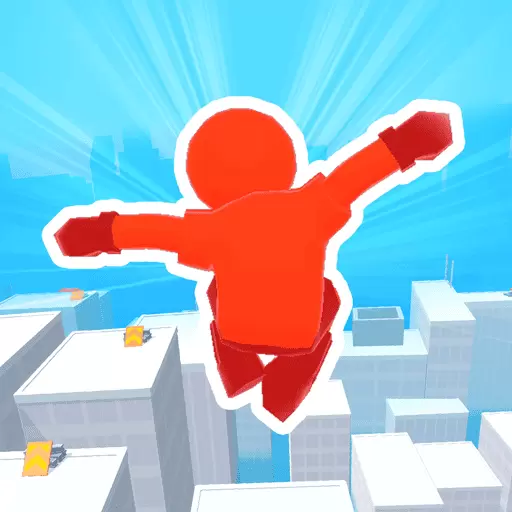
Vector is a free online parkour action web game created by Nekki, the developer of Shadow Fight. It takes place in a futuristic city, where players transform into rebels and flee through high-rise buildings. The smooth parkour movements and thrilling chase experience are available for free download.
Players can embark on parkour adventures in future cities, climbing over railings, sliding through pipes, climbing walls, rolling over drops, accurately identifying obstacles ahead, and selecting corresponding actions at the right time. The game includes three major areas with a total of 60 levels, each level can challenge three-star reviews, and unlock 15 different runner characters. If you like parkour games, action puzzle games, or futuristic themed games, you can experience this free web game.
Unlike parkour games that require downloading, this game can be played directly online through a browser without the need to download or install a standalone game client. Open the game page to start Mercedes Benz and experience exquisite parkour actions, rich levels, and character collection for free. Whether you are looking for free parkour games, download free action puzzle games, or exciting online games to pass the time, they are all worth experiencing.
With exquisite parkour actions and atmospheric futuristic urban scenes, high-quality parkour adventures can be experienced in the browser, making it a masterpiece of its kind.
Future Parkour Escape is a parkour action web game primarily based on keyboard and touch controls. Players need to choose corresponding parkour actions for different obstacles to successfully reach the end of the level.
Keyboard operation
-On the W/directional keys: jump, climb over obstacles, grasp edges, climb
-Under the S/directional keys: slide, roll, lower body
-A/Direction key left: decelerate or change direction
-D/Right arrow key: Acceleration
-Q: Perform stunt actions with annotation prompts
-Esc/P: Pause the game, R: Return to the previous checkpoint
mobile client
You can use screen buttons or sliding gestures (enabled in settings) to perform jumping stunts by sliding up, sliding down, sliding forward for acceleration, and sliding backward for deceleration and turning.
Different levels may have additional operational details, please refer to the in-game settings for actual button presses.
After entering the game, players can select levels from the area menu, each with different routes and obstacles, with the goal of smoothly reaching the finish line while challenging higher ratings.
If it's your first time playing, you can start with the following gameplay:
1. Familiarize yourself with basic parkour movements: Starting from the basic levels in the city, practice basic movements such as jumping, sliding, and climbing, master the timing of operations corresponding to different obstacles, and develop a smooth parkour rhythm.
2. Challenge Samsung rating: Each level has three evaluation criteria: clearing speed, collecting all reward blocks, completing designated stunts, striving to achieve Samsung rating, and earning more coins.
3. Unlock more characters: Use the coins earned from completing levels to unlock new runner characters and experience different operational sensations and character styles.
4. Challenge advanced areas: With the improvement of strength, challenge high difficulty areas such as construction sites and technology parks in order, deal with more complex obstacles and faster pace, and hone top-notch parkour skills.
Open Vector in your browser to play.

Scan the QR code to open Vector in your browser.
You can also visit kuioo.tw/en/ in your browser.



































 Roblox Games
 ****
 Suika Games
 Music Games
 IO Games
 Snake Games
 Racing Games
 Sandbox Games
 FPS Games
 Gun Games
 Horror Games
 Ninja Games
 Billiard Games
 2 Player Games
 Stickman Games
 Fireboy and Watergirl
 Game Paradise
 Real Mam Games
 Dinosaur Games
 Squid Game
 Puzzle Games
 Temple Escape Games
 Subway Surfers
 Plants vs Zombies Games
 Nut Games
 Papa's Games
 Basketball Games
 Mahjong Games
 2048 Games
 Five Nights At Freddy's Games
 Parkour Games
 Dark Chess Games
 Chess Games
 War Games
 One stroke Games