Scan the QR code to open Hangman in your browser.
You can also visit kuioo.tw/en/ in your browser.








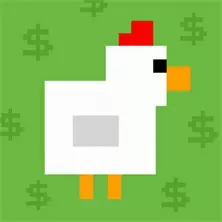












Typing Practice Chicken "is a fun little game designed specifically to improve players' typing speed and accuracy. It cleverly combines the image of a little chicken, making traditional typing exercises lively and interesting, allowing players to improve their typing skills in a relaxed and enjoyable atmosphere.
In 'Typing Practice Chicken', players will face words or letters that quickly flash on the screen. The main task of the player is to quickly and accurately type the keyboard and input the corresponding text content. Whenever a player successfully inputs a word or letter, the little chicken on the screen will jump forward joyfully, as if encouraging the player to keep going. If the input is incorrect, the chick will briefly stop to show punishment. The game has multiple levels, each with a specified time limit and different difficulty levels. Players need to input as many correct words or letters as possible within the specified time to achieve higher scores.
In addition to basic typing exercises, 'Typing Practice Chicken' also incorporates some fun elements. For example, the chicken characters in the game are designed to be very cute, with round bodies and big eyes, always welcoming players' challenges with a cheerful expression. In addition, various props and special effects have been added to the game, such as acceleration shoes, double scores, etc., allowing players to enjoy the fun of the game while typing.
Familiar with keyboard layout: Before starting the game, players need to familiarize themselves with the layout and key positions of the keyboard. This helps players find the letters or words they need to input faster, improving typing speed.
Mastering the sense of rhythm: Words or letters in the game will appear at a certain rhythm, and players need to gradually adjust this rhythm in order to input the text content more accurately.
Stay calm and focused: During the game, players need to stay calm and focused, and not be affected by mistakes or pressure. At the same time, always pay attention to the chicks on the screen and the remaining time, in order to adjust your typing speed and strategy in a timely manner.
Utilizing props and special effects: The game provides various props and special effects, such as acceleration shoes, double points, etc. Players need to be adept at utilizing these props and effects to improve their scores and gaming experience.
Continuous practice and challenge: Improving typing skills requires constant practice and challenge. Players can improve their typing skills by constantly challenging higher difficulty levels and typing faster. At the same time, attention should also be paid to arranging time reasonably and avoiding excessive fatigue.
In short, 'Typing Practice Chicken' is a fun and practical typing practice game. It can help players improve their typing speed and accuracy in a relaxed and pleasant atmosphere, while also exercising their reaction ability and concentration. Whether for computer beginners or typing experts, 'Typing Practice Chicken' is a game worth trying.
Now on the Kuioo mini game website, "Typing Practice Chicken" can be played for free online on the mobile version, computer version, and web version of "Typing Practice Chicken" without downloading.
Open Hangman in your browser to play.

Scan the QR code to open Hangman in your browser.
You can also visit kuioo.tw/en/ in your browser.












 Roblox Games
 ****
 Suika Games
 Music Games
 IO Games
 Snake Games
 Racing Games
 Sandbox Games
 FPS Games
 Gun Games
 Horror Games
 Ninja Games
 Billiard Games
 2 Player Games
 Stickman Games
 Fireboy and Watergirl
 Game Paradise
 Real Mam Games
 Dinosaur Games
 Squid Game
 Puzzle Games
 Temple Escape Games
 Subway Surfers
 Plants vs Zombies Games
 Nut Games
 Papa's Games
 Basketball Games
 Mahjong Games
 2048 Games
 Five Nights At Freddy's Games
 Parkour Games
 Dark Chess Games
 Chess Games
 War Games
 One stroke Games