Scan the QR code to open Steal Brainrot Duel in your browser.
You can also visit kuioo.tw/en/ in your browser.










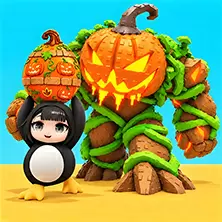





Roblox Secretly King is a competitive game on the Roblox platform. Players need to collect unique characters, protect their base from enemy attacks, and attack other players to enrich their collection. The game tests players' speed, timing, and decision-making abilities, and supports both single player and two player battle modes. Players can use props such as clothing, wings, and pets to personalize their character image.
Game controls:
PC version keyboard control
Player 1 controls
WASD key controls movement
Blank key to execute jump
Left Shift key to execute sprint
E-key interaction/theft
Use the F key or left mouse button to attack
Player 2 Control
Arrow keys control movement
L key to execute jump
Press the J key to execute a sprint
O-key interaction/theft
Attack with K key
Mobile device touch screen operation
Use virtual buttons on the screen to control movement, jumping, and interaction
Roblox provides a gameplay experience of character collection and base attack and defense. Players need to accumulate various unique characters during the game and continuously enhance their strength through battles. The base protection mechanism requires players to deploy defensive measures to resist attacks from other players. At the same time, players can also take the initiative to attack others' bases to obtain loot. The character personalization system in the game allows players to customize their character's appearance through decorations such as clothing, wings, and pets. The game mode is divided into two types: single player and double player. The single player mode focuses on improving personal skills and accumulating collectibles, while the double player mode supports two players to battle on the same device. In terms of operation, the PC version provides independent control keys for two players. Player 1 uses the WASD key to move, the blank key to jump, the left Shift key to sprint, the E key to interact, and the F key or left mouse button to attack; Player 2 uses arrow keys to move, L key to jump, J key to sprint, O key to interact, and K key to attack. The mobile device version enables all operations through virtual buttons on the screen. Every decision made during the game process will affect the player's ranking and collection progress. By continuously winning, players can enhance their leading position and showcase personalized game styles.
Open Steal Brainrot Duel in your browser to play.
Scan the QR code to open Steal Brainrot Duel in your browser.
You can also visit kuioo.tw/en/ in your browser.










 Roblox Games
 ****
 Suika Games
 Music Games
 IO Games
 Snake Games
 Racing Games
 Sandbox Games
 FPS Games
 Gun Games
 Horror Games
 Ninja Games
 Billiard Games
 2 Player Games
 Stickman Games
 Fireboy and Watergirl
 Game Paradise
 Real Mam Games
 Dinosaur Games
 Squid Game
 Puzzle Games
 Temple Escape Games
 Subway Surfers
 Plants vs Zombies Games
 Nut Games
 Papa's Games
 Basketball Games
 Mahjong Games
 2048 Games
 Five Nights At Freddy's Games
 Parkour Games
 Dark Chess Games
 Chess Games
 War Games
 One stroke Games