Scan the QR code to open Jigsaw in your browser.
You can also visit kuioo.tw/en/ in your browser.














Rating: 8.9 (339 votes)
Technology: HTML5
Platform: Web browser
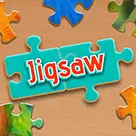
Welcome to Jigsaw, a classic puzzle game that has been entertaining people of all ages for generations! In this game, your goal is to piece together a picture by fitting together interlocking pieces, just like a real jigsaw puzzle.
To begin, select a puzzle with a difficulty level that suits you. Each puzzle contains a different number of pieces, ranging from a few dozen to several hundred, and features a unique image, such as a beautiful landscape, an adorable animal, or a famous landmark.
Once you have selected a puzzle, you can start playing by dragging and dropping the pieces to fit them together. The pieces will snap into place when they are correctly positioned, making it easy to see which pieces are a match.
As you progress through the game, the puzzles will become more challenging, with more pieces to fit together and a more complex image to assemble. You will need to use your spatial reasoning and problem-solving skills to complete each puzzle.
To make the game more interesting, you can also choose to play against the clock or compete with other players to see who can complete the puzzle the fastest. You can also use special features such as "edge pieces only" mode, which allows you to focus on assembling the borders first.
With its timeless gameplay and endless variety, Jigsaw is a game that is sure to keep you entertained for hours on end. So, are you ready to challenge yourself and become a jigsaw puzzle master? Let's get started!
Sure, here is a step-by-step guide on how to play Jigsaw:
Start the game by selecting a puzzle. You can choose from a variety of images, each with a different number of pieces.
Once you have selected a puzzle, the pieces will be scattered on the screen. To begin, pick a piece and drag it to where you think it fits in the puzzle.
The pieces will snap together when they are in the right position, making it easy to see which pieces are a match. Use this feature to your advantage to help you assemble the puzzle more quickly.
Continue fitting the pieces together until you have completed the puzzle. As you progress through the game, the puzzles will become more complex, with more pieces and more intricate images.
You can use special features such as "edge pieces only" mode, which allows you to focus on assembling the borders first, or "preview" mode, which displays the completed image for reference.
To make the game more challenging, you can also choose to play against the clock or compete with other players to see who can complete the puzzle the fastest.
If you get stuck, don't worry! You can use the "hint" feature to reveal a piece's correct position, or use the "shuffle" feature to randomly rearrange the pieces on the screen.
When you have completed the puzzle, you can admire your work, save your completed image, and start a new puzzle to continue challenging yourself.
And that's how you play Jigsaw! Keep in mind that the game may have additional features or variations depending on the specific version you are playing.
Open Jigsaw in your browser to play.
Scan the QR code to open Jigsaw in your browser.
You can also visit kuioo.tw/en/ in your browser.























 Roblox Games
 ****
 Suika Games
 Music Games
 IO Games
 Snake Games
 Racing Games
 Sandbox Games
 FPS Games
 Gun Games
 Horror Games
 Ninja Games
 Billiard Games
 2 Player Games
 Stickman Games
 Fireboy and Watergirl
 Game Paradise
 Real Mam Games
 Dinosaur Games
 Squid Game
 Puzzle Games
 Temple Escape Games
 Subway Surfers
 Plants vs Zombies Games
 Nut Games
 Papa's Games
 Basketball Games
 Mahjong Games
 2048 Games
 Five Nights At Freddy's Games
 Parkour Games
 Dark Chess Games
 Chess Games
 War Games
 One stroke Games