Scan the QR code to open Obby: Battle Online in your browser.
You can also visit kuioo.tw/en/ in your browser.














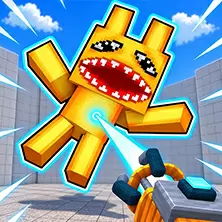

Roblox City Hero is a multiplayer third person shooter game. Players can engage in online battles with real players, or choose offline mode to practice skills with training robots. The game offers multiple combat modes and level options, with each battle providing a unique experience. Player characters have a variety of clothing and props to choose from, and can participate in dynamic battles by switching between different weapons.
Game controls
PC version keyboard control
WASD key controls character movement
Number keys 1, 2, 3, 4 switch weapons
Press and hold the Shift key to accelerate running
R key to load ammunition
F key to hide weapons
Left mouse button to fire and shoot
Right click on the mouse to aim at the target
Press the Esc key to open the game menu
Tab key to view leaderboard
Mobile device touch screen operation
Using virtual controllers to control movement
Click on the weapon icon to switch equipment
Touch button to execute shooting action
Roblox City Heroes offers two main modes: online multiplayer battles and offline training. The online mode allows players to compete in real-time with global players, with each battle taking place under specific maps and rules. Offline mode is equipped with training robots to help players improve their shooting skills and tactical awareness. The game includes a rich weapon system, and players can quickly switch between four different weapons through the number keys. The movement mechanism supports regular walking and accelerated running. Holding down the Shift key allows the character to move quickly but cannot shoot. The ammunition management system requires players to use the R key and load ammunition in real-time. In terms of tactical selection, the F key can hide weapons to increase movement speed. The aiming and shooting system achieves precise strikes through right mouse click aiming and left mouse click shooting. The in-game menu system is accessed through the Esc key, and the Tab key allows for real-time viewing of battle rankings. The character customization system provides a variety of clothing and decorative props, allowing players to personalize their game image. Each combat scenario is carefully designed to provide different tactical environments and combat experiences. By continuously participating in battles, players can improve their operational proficiency, master the characteristics of various weapons, and strive for higher rankings on the leaderboard.
Open Obby: Battle Online in your browser to play.

Scan the QR code to open Obby: Battle Online in your browser.
You can also visit kuioo.tw/en/ in your browser.














 Roblox Games
 ****
 Suika Games
 Music Games
 IO Games
 Snake Games
 Racing Games
 Sandbox Games
 FPS Games
 Gun Games
 Horror Games
 Ninja Games
 Billiard Games
 2 Player Games
 Stickman Games
 Fireboy and Watergirl
 Game Paradise
 Real Mam Games
 Dinosaur Games
 Squid Game
 Puzzle Games
 Temple Escape Games
 Subway Surfers
 Plants vs Zombies Games
 Nut Games
 Papa's Games
 Basketball Games
 Mahjong Games
 2048 Games
 Five Nights At Freddy's Games
 Parkour Games
 Dark Chess Games
 Chess Games
 War Games
 One stroke Games