Scan the QR code to open Labubu & Avatar in your browser.
You can also visit kuioo.tw/en/ in your browser.

















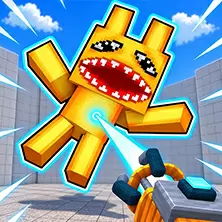









Rabbu World is an immersive simulation game, now available Kuioo On the website, users are supported through PC The version, mobile version, or tablet browser can be launched directly without downloading additional clients to play games online for free. Players can create characters, customize appearances, create scenes, and interact with various characters in a bright and diverse virtual adventure world.
Game operation mode
In the world of Rabbu, players control or manipulate character objects through simple clicking operations. After clicking on characters or objects with a cursor or finger, hold them down to move them in the scene. To interact with characters and objects, simply place the objects in the hands of the characters, such as feeding them food or drinks. When creating scenes indoors, players can access special menus, select different categories of furniture, and place them in the living room. To take a photo, click on the photo icon on the screen to record the exciting moments.
Rabbu World provides players with a creative and interactive virtual adventure world. The core gameplay of the game revolves around character creation, scene construction, and interaction, allowing players to unleash their imagination to the fullest.
One of the major features of the game is the character creation and customization function. Players can create and fully customize their own Labubu Characters, from appearance to clothing, accessories, and even style elements, can be selected and matched according to personal preferences. This high degree of freedom allows each player to create a unique character image.
In addition to character customization, players can also use various items and decorations to build and decorate their virtual spaces. The game provides a rich selection of scenes, each with its unique features and challenges. Players can freely arrange furniture, decorations, and other items in these scenes to create their own ideal space.
Rabbu World also provides rich interactive role-playing. Players can control the actions of their characters, observe their behavior, and create various unique situations. Characters will interact with each other according to the player's arrangement, such as playing together, collaborating to complete tasks, or engaging in interesting conversations. This interactivity makes the game full of fun and dynamic changes.
The camera function in the game is an important way to record adventures. Players can click on the photo icon at any time during the game to record the most exciting and fun moments. These photos can not only be saved as beautiful memories, but also shared with friends to showcase their creativity and adventure achievements.
In addition, 'La Bu Bu World' also provides rich social elements. Players can interact with other players' characters to explore the virtual world, or build and decorate scenes together. This social interaction makes the game not just an adventure for one person, but a joyful space that can be shared with friends.
Rabbu World brings players a creative and fun virtual adventure journey with its bright and diverse game world, highly customizable characters, and rich interactive gameplay. Whether you enjoy role-playing or creative construction, you can find your own fun in the game. Come to "La Bu Bu World" and embark on your virtual adventure!
Open Labubu & Avatar in your browser to play.

Scan the QR code to open Labubu & Avatar in your browser.
You can also visit kuioo.tw/en/ in your browser.











 Roblox Games
 ****
 Suika Games
 Music Games
 IO Games
 Snake Games
 Racing Games
 Sandbox Games
 FPS Games
 Gun Games
 Horror Games
 Ninja Games
 Billiard Games
 2 Player Games
 Stickman Games
 Fireboy and Watergirl
 Game Paradise
 Real Mam Games
 Dinosaur Games
 Squid Game
 Puzzle Games
 Temple Escape Games
 Subway Surfers
 Plants vs Zombies Games
 Nut Games
 Papa's Games
 Basketball Games
 Mahjong Games
 2048 Games
 Five Nights At Freddy's Games
 Parkour Games
 Dark Chess Games
 Chess Games
 War Games
 One stroke Games