Scan the QR code to open Geometry Vibes X-Arrow in your browser.
You can also visit kuioo.tw/en/ in your browser.



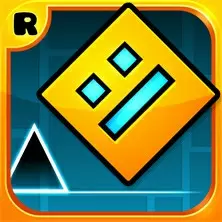



























Geometry Sprint: Launch Rocket X is a rhythm action game. The player needs to control a rocket and fly at high speed in a narrow channel filled with dynamic geometric obstacles. The game goal is clear: to control the rocket's ascent and descent through precise clicks and releases, avoid all obstacles, and safely reach the portal at the end of each path. This game emphasizes fast-paced precise operations and high-speed reactions, with gradually increasing difficulty levels, providing players with a challenging flying experience.
Game controls:
PC version keyboard control
Blank key or left mouse button - click to accelerate the rocket upwards
Release the button - the rocket moves downwards under the influence of gravity
H key/L key/up arrow key - control keys for other players in multiplayer mode
Mobile version touch operation
Click anywhere on the screen to accelerate the rocket upwards
Release your fingers - Rocket moves downwards
The computational logic is consistent with the PC version
Geometric Sprint: The core of launching Rocket X lies in the deep mastery and ultimate application of simple mechanisms. The game screen is composed of concise and vivid geometric shapes, and the track is composed of obstacles such as blocks, triangles, etc. that constantly move, rotate, or transform, forming complex and ever-changing deadly channels. The rocket controlled by the player will automatically continue to fly forward, and the only and crucial operation is to obtain lift by clicking (or pressing), and descend when released. This requires players to have excellent rhythm, predictive ability, and instant response, making decisions in milliseconds and guiding rockets through narrow safety gaps at high speeds. The challenging design of the game is reflected in its progressive difficulty curve. The initial levels help players familiarize themselves with basic operations, while subsequent levels introduce faster speeds, more complex obstacle combinations, and more intricate path arrangements, testing players' operational accuracy and route memory. The punishment for failure is direct but fair, and any touch with an obstacle will lead to a restart, which prompts players to optimize their operation path through repeated attempts until they pass the level perfectly. Multiplayer game mode supports local same screen competition, where friends can use different buttons to control their rockets and compete in the same level to see who can survive further or reach the finish line faster, adding direct competitive fun. The game may include custom elements, such as unlocking different rocket appearances or visual effects, allowing players to create a personalized flying experience. The entire game loop aims to provide a tense, pure, and fulfilling challenge, achieving extremely high skill limits through minimalist operations.
Open Geometry Vibes X-Arrow in your browser to play.

Scan the QR code to open Geometry Vibes X-Arrow in your browser.
You can also visit kuioo.tw/en/ in your browser.













































 Roblox Games
 ****
 Suika Games
 Music Games
 IO Games
 Snake Games
 Racing Games
 Sandbox Games
 FPS Games
 Gun Games
 Horror Games
 Ninja Games
 Billiard Games
 2 Player Games
 Stickman Games
 Fireboy and Watergirl
 Game Paradise
 Real Mam Games
 Dinosaur Games
 Squid Game
 Puzzle Games
 Temple Escape Games
 Subway Surfers
 Plants vs Zombies Games
 Nut Games
 Papa's Games
 Basketball Games
 Mahjong Games
 2048 Games
 Five Nights At Freddy's Games
 Parkour Games
 Dark Chess Games
 Chess Games
 War Games
 One stroke Games